
Challenge
Data in a database is only useful if someone can look at it. Checking analytics, ad spend, YouTube, leads and email-security posture meant either logging into several Google products or writing SQL — and none of it was available on a phone.
Approach
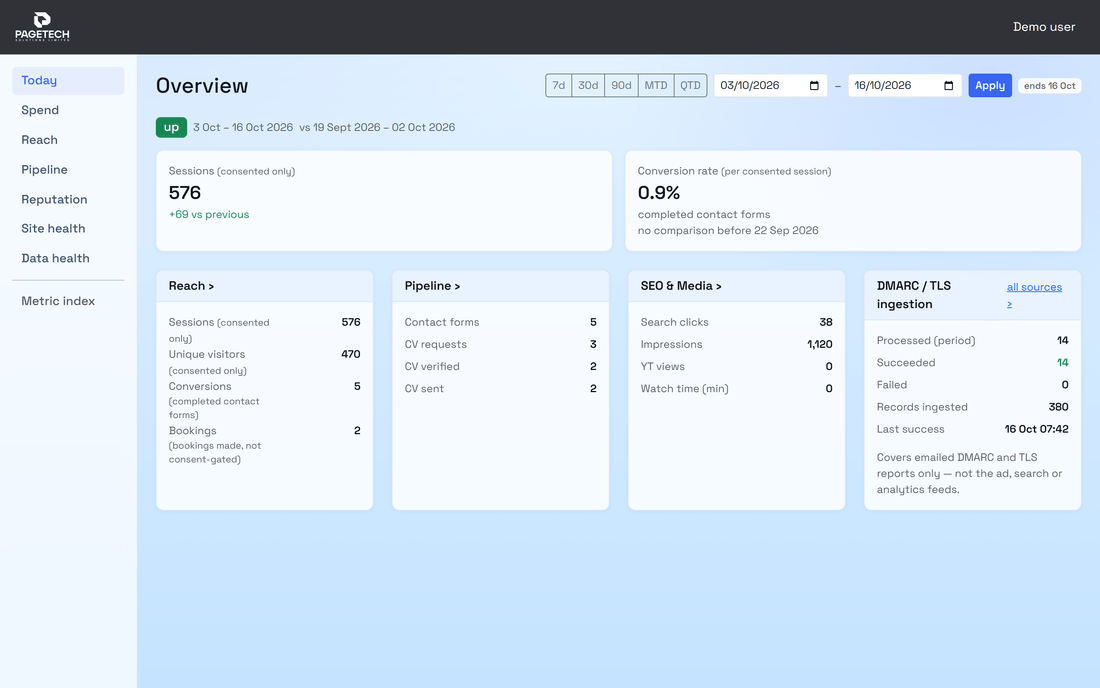
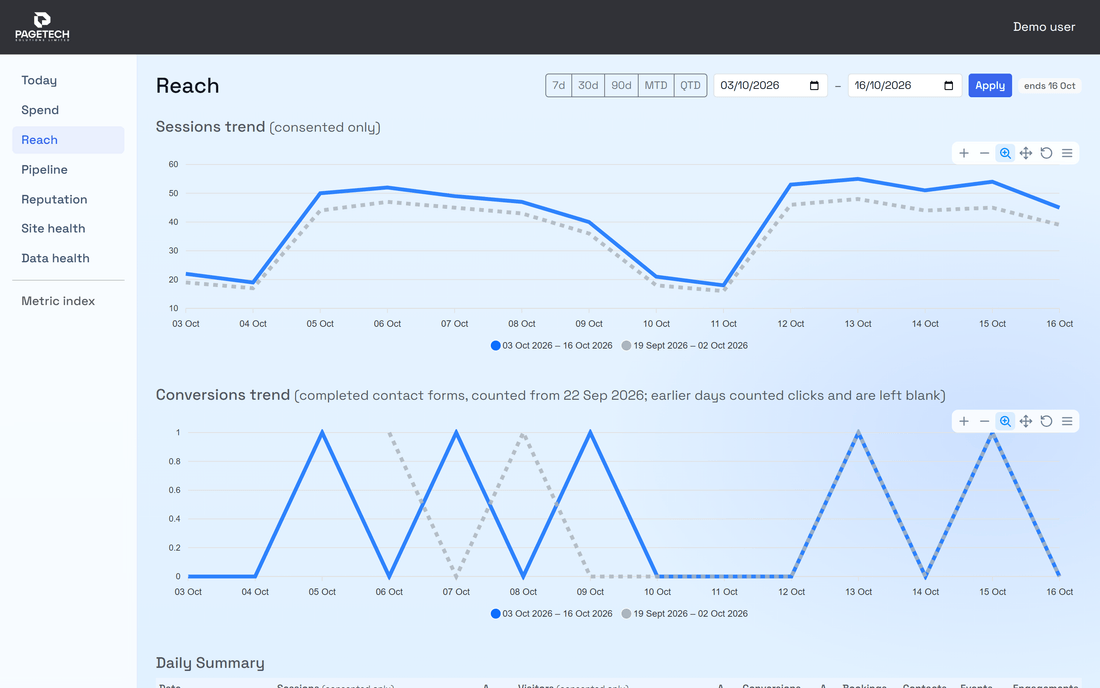
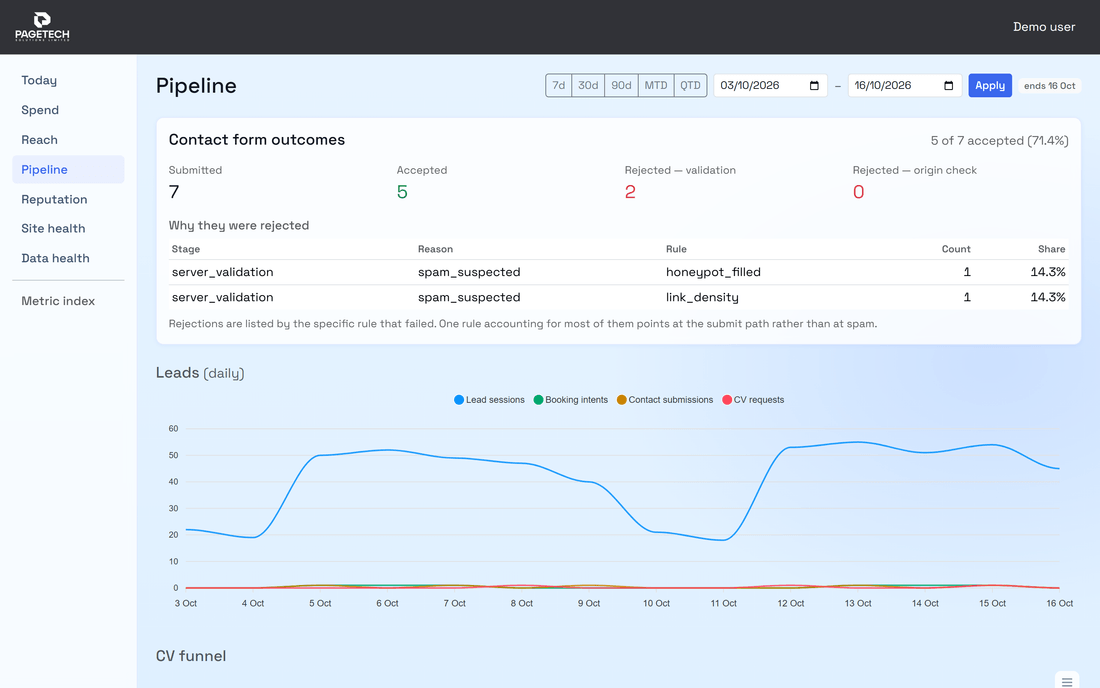
One shared core library (entities and data context kept in step with the analytics database) feeds two front ends: a .NET MAUI app for Windows and Android, and a Blazor Server web app for the browser. Both show the same overview and detail screens — analytics, Google and Microsoft Ads, Search Console, YouTube, leads, engagement and bookings — with period-over-period comparison charts and free date-range filtering, plus a security-findings view fed by the compliance monitor. Every call to the dashboard API carries a Microsoft Entra token, and the Windows app signs in through the operating system's account broker so there is no separate credential prompt. The pipeline builds and signs the Windows installer and the Android package and publishes both to Intune automatically; the Windows build is self-contained so target machines need no runtime installed.
What it looks like
Outcome
- One app on Windows, Android and the browser shows analytics, Google and Microsoft Ads, Search Console, YouTube, leads, bookings and email-security findings side by side, built from one shared core library instead of a round of separate portals
- Trends visible at a glance with period comparisons — no exports, no SQL
- Paid, organic and email-security data in one place
- Signed installers delivered through the device-management platform by pipeline, not by hand
- Nothing is reachable without a signed-in, authorised account
Have a similar problem in your own systems? Book a free 20-minute call or describe it.
Where judgement mattered
- One domain library, three targets — not three codebases
- Identity-provider authentication on every request from day one, rather than a private URL and hope
- Automating distribution as part of CI/CD so an update is a build, not an afternoon
Technology stack
C# / .NET 10 · .NET MAUI (Windows and Android) · Blazor Server · EF Core · LiveCharts and ApexCharts · Microsoft Entra ID · Microsoft Intune · Azure DevOps CI/CD